


Moon+ Reader Pro
4.212.66K Reviews
App Specs
- Version
- 10.7
- Updated On
- License
- $11.99
- Downloads
- 1,000,000+
- Developer
- Moon+
- Categories
- Books & Reference
- Platform
- Android, iOS
Screenshots
 Analysis by AppCompare
The first time I opened Moon+ Reader Pro, I’d want one thing to happen quickly: a book should appear on the screen, look comfortable to read, and be easy to find again later. That’s a more useful first test than exploring every setting. This is an Android ebook reader and library-management app from Moon+, aimed at people who already have digital books and want more control over how they read them.
It is a paid app, currently listed at $11.99, with a 4.2 average from around 106,000 ratings and over 1 million installs. Its Everyone age rating makes it suitable for a broad audience, while its long-running presence in the Books & Reference category suggests a product built around a specific job rather than a general-purpose reading service. The current version is 10.4, and it supports Android 5.0 and later.
What to expect from this kind of reader
I’d think of it less as a bookstore and more as a reading desk for books you bring to it. That distinction matters if you’re deciding between this and an app centered on buying titles and keeping them within one retailer’s ecosystem. Moon+ Reader Pro is a better fit when your collection comes from different places and you want a single app for opening and organizing those files.
That flexibility comes with a small trade-off: a reader with plenty of controls asks you to make a few more choices. Someone who wants to tap one button and have a service select, sell, and organize every book may prefer a simpler store-first app. I like the extra control, but I wouldn’t recommend paying for it unless you expect to use your own collection or care about adjusting the reading experience.
Make the first setup manageable
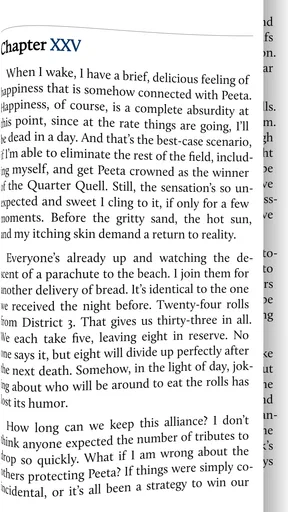
When you install it, I’d begin with just one book rather than trying to sort an entire folder at once. Open a title you already have, check that the text is readable on your screen, then make one or two changes to the font or theme. This gives you a useful baseline before you spend time arranging shelves or exploring the deeper options.
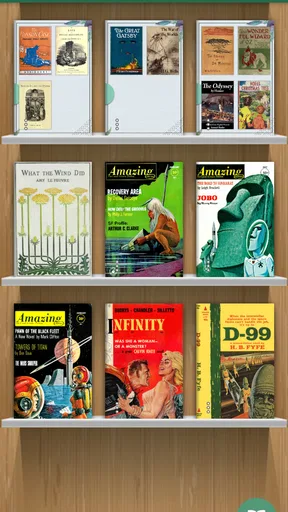
The shelf system is handy, but it works best when you settle on a simple rule. You might separate books you’re reading now from those you’ve finished, or group reference material apart from novels. I’d avoid building a complicated hierarchy on day one; a small library is easier to scan, and you can add structure if your collection actually needs it.
One practical question is whether a book needs an internet connection after it’s ready to read. For books already downloaded to your device, the answer is no: offline reading is a real advantage for flights, commutes, and places where reception is unreliable. Online library access is a separate way to find books, so I’d do that browsing while connected and keep the titles I want available locally.
Worth Reading Before You Choose

EA SPORTS FC Mobile 26 Is a Bigger Football Game, but It Takes Time

Flipboard Shows What News Apps Must Do Beyond the Feed

Switching to Android Auto Means Rethinking Your Driving Routine

Google Calendar Makes a Crowded Week Easier to Manage

Ludo King Makes the Most of the Minutes Between Plans

Baby Panda World Brings Quick Play to Modern Phones, but Its Game Library Feels Busy
Get to the first satisfying reading session
For a realistic first session, imagine opening a novel during a train ride. I’d find the book, choose a comfortable theme, and adjust the brightness with a swipe rather than interrupting the journey to dig through menus. Once I’m settled, page-turn effects are a matter of taste: if animation feels distracting, I’d try a simpler option instead of assuming the default is the best one for me.
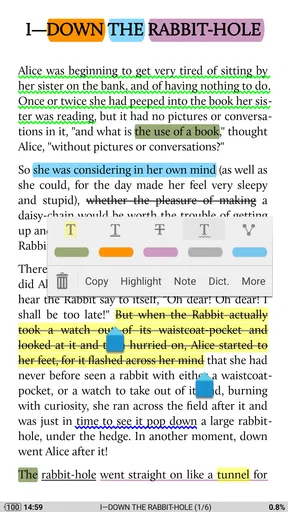
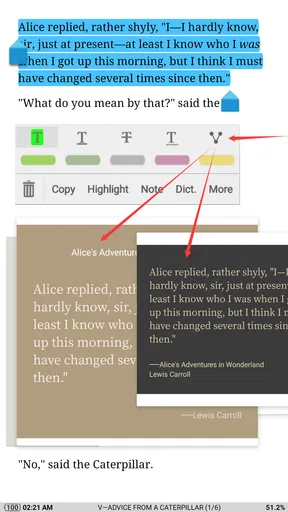
For nonfiction, highlighting and notes can turn the app into a more useful study companion. A good habit is to highlight only a passage you expect to revisit and add a short note about why it matters. That keeps annotations helpful instead of turning every page into a wall of marks. Text-to-speech offers a different route when your eyes need a break, though I’d try it with a short section first to see whether listening suits the book and situation.
A Personal Library in Your Pocket
First things first, Moon+ Reader Pro is like having a library in your pocket. Imagine being able to access your entire eBook collection anywhere, anytime. It's compatible with a myriad of formats like EPUB, PDF, MOBI, FB2, and more. So, no matter what your preferred e-reading format is, this app has got you covered.
User-Friendly Interface
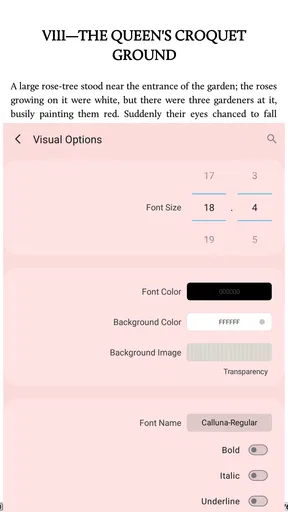
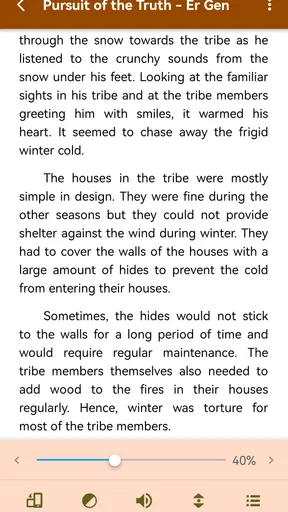
Let’s talk about the user interface. It’s intuitive and straightforward, which means you won't be left scratching your head trying to figure out where everything is. The shelves in the app are customizable, letting you organize your books just the way you like them. Plus, the app is pretty easy on the eyes, with options to customize the themes and fonts to suit your reading style.
Features Galore
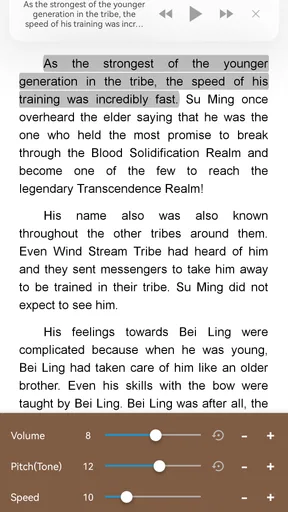
One of the standout features for me was the text-to-speech functionality. Imagine being able to listen to your eBooks while you’re on the go. It’s like having a personal storyteller in your pocket. Another nifty addition is the ability to highlight text and add notes. Trust me, this is a lifesaver for students or anyone who loves to jot down thoughts while reading.
Oh, and did I mention the app supports online eBook libraries? That’s right, you can connect to libraries like Project Gutenberg, and grab some classics without spending a dime. It’s a treasure trove for bookworms.
Performance and Customization
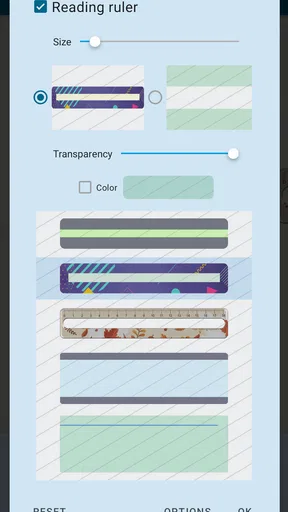
Now, let’s dive into performance. The app is smooth, with minimal lag even when flipping through large books. And if you’re someone who loves to tweak settings, Moon+ Reader Pro won’t disappoint. You can adjust the brightness with a swipe, change the page flip animations, and even set up reading statistics to track your reading habits. It’s like a personalized reading assistant.
When the extra controls help—and when they don’t
The strongest reason to choose this reader over a basic ebook app is the chance to shape the experience around the book. A long novel benefits from a calm theme and a page style you can read for a while; a manual or reference title may be easier to consult if you can mark useful passages and keep it distinct on its shelf. I’d treat these adjustments as a way to remove friction, not as a project to perfect every setting.
There is a point where customization becomes its own distraction. If you spend more time testing fonts, animations, and reading statistics than actually reading, step back and keep only the settings that solve a problem for you. A standard retailer’s reader may be better if you want a tightly integrated purchasing and syncing routine with minimal setup. Moon+ Reader Pro makes more sense when flexibility and a mixed personal library are the priorities.
Keep your collection practical and recoverable
As a library grows, finding a title later can matter more than adding another visual theme. I’d choose shelf names that answer a real question—what am I reading, what do I want to consult, and what have I finished? That keeps the home view useful without requiring a lot of maintenance. The app’s reading statistics can also help you notice your habits, but I’d use them as a gentle record rather than a scorecard; a quiet week doesn’t mean you’ve failed as a reader.
Backup is worth considering before you rely on the app for a large collection. The app offers backup and restore, including syncing data to cloud services such as Dropbox. I’d make a backup after I’ve arranged shelves or added meaningful notes, then check that I understand where the saved information lives. That’s a simple precaution, especially if annotations are part of how you study or work.
Password protection can be useful when you want a book kept private on a shared device. It’s a practical extra, but it doesn’t replace sensible device security or a backup. I’d also avoid assuming that protecting a title and protecting every part of a reading setup are the same thing; use the feature for the specific privacy need it addresses.
Common points of confusion
A reader app and an ebook source are not always the same thing. Moon+ Reader Pro can open compatible books and connect to online ebook libraries, but that doesn’t mean every title you might want is automatically included. If a book is missing, first check whether you have the file on the device or know where you intend to obtain it. For public-domain classics, the connection to Project Gutenberg gives you a place to explore without treating the app as a universal catalog.
Another distinction is between local access and online browsing. A book already downloaded can be read offline, while finding or retrieving another title from an online library requires a connection at that point. Before a trip, I’d open the books I plan to read while still online, rather than waiting until I’m disconnected to discover that I haven’t prepared them.
People also ask whether it works for every kind of ebook. It supports a range of common formats, including EPUB, PDF, MOBI, and FB2, but I’d still test an unfamiliar file with one title before moving a whole collection. Formats can behave differently: a flowing text book and a fixed-layout document don’t necessarily feel alike on a phone. If most of your reading is technical PDFs with layouts designed for a large screen, a dedicated PDF-focused tool may be more comfortable.
Who will get the most out of it
I’d recommend Moon+ Reader Pro to readers who keep books from several sources, students who want to annotate passages, and anyone who likes tuning fonts, themes, or page behavior until reading feels comfortable. It’s also a sensible choice for someone who wants to take a personal library offline and keep titles organized on a phone or tablet. The app’s broad format support is especially useful when switching between different kinds of books rather than sticking to one retailer’s catalog.
I’d steer casual readers toward a simpler option if they mainly buy from one bookstore and don’t care about shelves, notes, or display settings. I’d also pause before buying if you’re unsure you’ll use the advanced controls; the $11.99 price is easiest to justify when the app replaces a less flexible reader you use regularly. For a person who just wants to sample an occasional book, a free or store-provided reader may be enough.
Offline Access
What’s great about Moon+ Reader Pro is that you don’t need to be connected to the internet to enjoy your books. Once they’re downloaded, you have full access offline. This is perfect for those long flights or commutes where internet access is either spotty or non-existent.
A sensible next step
After the first successful read, I’d add only a few titles, make one shelf that reflects what I’m reading now, and try an annotation or text-to-speech on a short passage. That sequence answers the important questions without turning setup into homework: can I open my books, can I read them comfortably, and do the extra tools help me? If the answer is yes, then it’s worth exploring more of the settings at your own pace.
Moon+ Reader Pro is a strong fit for readers who want their own digital collection to feel organized and adaptable rather than locked into a basic reading screen. Its many options are a genuine strength, but they can also be more than a newcomer needs. I’d start small, keep the settings that make a clear difference, and let the app earn a place in your routine through actual reading.
Security and Backup
Worried about losing your collection? The app has you covered with its backup and restore feature. You can sync your data to cloud services like Dropbox, ensuring your library is safe and sound. Plus, if privacy is a concern, the app lets you password-protect your books.
In conclusion, Moon+ Reader Pro is more than just a basic eBook reader. It’s a robust tool that caters to eBook enthusiasts looking for a comprehensive and customizable reading experience. Whether you’re a casual reader or a die-hard bookworm, this app might just become your new best friend. So, if you’re on the hunt for a reliable eBook reader, give this one a shot. Happy reading!
Pros
- Highly customizable reading interface.
- Supports multiple file formats.
- Ad-free experience for distraction-free reading.
- Advanced text-to-speech capabilities.
- Robust offline dictionary support.
Cons
- Initial setup can be overwhelming.
- Limited cloud storage options.
- Occasional bugs in text-to-speech.
- Some features require manual configuration.
- High learning curve for new users.
FAQs for Moon+ Reader Pro
What features does Moon+ Reader Pro offer that make it stand out from other eBook readers?
Moon+ Reader Pro is packed with features like customizable reading settings, themes, and advanced text formatting. It supports numerous file formats, including EPUB, PDF, and MOBI, and offers powerful annotation tools. The app also includes a built-in dictionary, text-to-speech options, and cloud syncing capabilities, making it a comprehensive choice for avid readers.
Is Moon+ Reader Pro compatible with both Android and iOS devices?
Moon+ Reader Pro is primarily available for Android devices. It offers extensive customization and supports a wide variety of file formats on Android. However, iOS users will have to look for alternatives, as Moon+ Reader Pro is not available on the Apple App Store. It’s an ideal choice for Android users seeking a feature-rich reading app.
How does the app handle different file formats, and are there any limitations?
Moon+ Reader Pro supports a broad range of file formats, including EPUB, PDF, DJVU, and MOBI. It excels in handling these formats with smooth rendering and robust customization options. However, users may experience minor issues with complex PDF files, as some advanced features might not be fully supported, particularly if the PDF is heavily formatted.
Does Moon+ Reader Pro offer any additional services like cloud storage or syncing?
Yes, Moon+ Reader Pro provides cloud storage and syncing options. Users can sync their reading progress, bookmarks, and annotations across multiple devices using services like Dropbox, Google Drive, and OneDrive. This feature ensures that you can seamlessly continue your reading experience from where you left off, on any device.
Are there any costs associated with Moon+ Reader Pro, and is it worth the investment?
Moon+ Reader Pro is a paid app, offering a one-time purchase price. Considering its extensive features, customization options, and support for multiple file formats, it is well worth the investment for serious readers. The app frequently receives updates, ensuring users benefit from continuous improvements and new features.


